Beyond Hearing Aids: Earbud Accessibility Features Explained
By Tomoko Sato • 21st Oct
Most users think of wireless earbuds as premium music players or call tools. But their most transformative capability remains hidden in plain sight: robust earbuds accessibility features. Good design disappears. When your buds switch connections, recognize your needs, and stay out of your way (that's when they become essential tools). I learned this after standing in my kitchen one bleary morning, juggling Bluetooth menus while trying to switch from laptop to phone before a client demo. If switching isn't seamless, the features might as well not exist. See our seamless device switching tests to compare how quickly top buds move between phone and laptop.
How Earbuds Accessibility Features Solve Real Problems
Q: What qualifies as true earbuds accessibility features beyond basic hearing amplification?
True accessibility features anticipate needs before you voice them. Not just volume boosts, but:
- Live Listen functionality (Apple/Android): Turns your phone into a remote microphone, amplifying distant sounds directly to your buds
- Conversation Boost (Apple): Isolates voices in noisy environments by filtering background noise
- Transparency mode customization: Adjusts ambient sound levels based on your hearing profile
- Headphone accommodations: Tailors frequency response to match your specific hearing patterns
These features work with bone conduction designs and with traditional earbuds and in-ear headphones alike. They're not replacements for medical hearing aids, but valuable complementary tools for situational hearing support. If you're seeking hearing aid–compatible earbuds, start with our picks for seniors and hearing-impaired listeners.
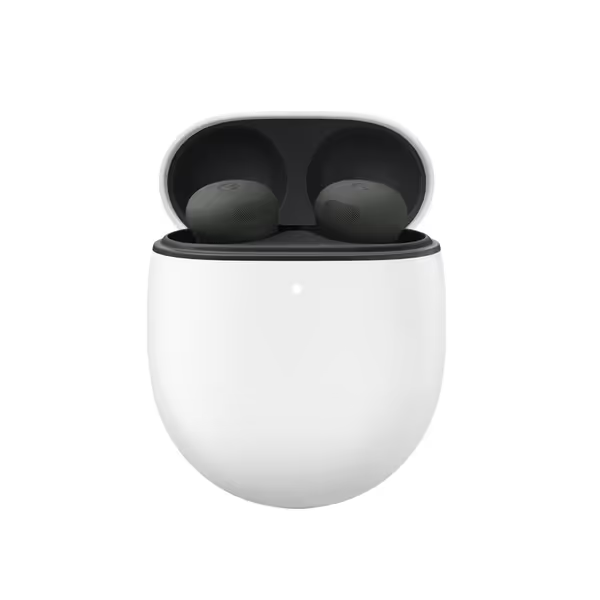
Google Pixel Buds Pro 2
Most comfortable, secure, AI-powered earbuds with premium immersive sound.
$189
Active Noise Cancellation2x powered by Tensor A1 chip
Active Noise Cancellation2x powered by Tensor A1 chip
Pros
Unrivaled fit and comfort for all-day wear
Immersive sound with powerful bass and clear treble
Smart AI features like Conversation Detection
Cons
Fit can be inconsistent for some users
Customers find these earbuds have excellent sound quality and pretty good noise cancellation features, including the ability to toggle between noise cancelling and transparency modes. The earbuds fit comfortably in the ears and connect seamlessly to devices, though some report connection issues. While some customers say they stay securely in place all night, others mention they fall out with the slightest head movement. The functionality and value for money receive mixed reviews, with some saying they're worth the price while others find them overpriced.
Customers find these earbuds have excellent sound quality and pretty good noise cancellation features, including the ability to toggle between noise cancelling and transparency modes. The earbuds fit comfortably in the ears and connect seamlessly to devices, though some report connection issues. While some customers say they stay securely in place all night, others mention they fall out with the slightest head movement. The functionality and value for money receive mixed reviews, with some saying they're worth the price while others find them overpriced.
Q: How do voice control earbuds help with accessibility?
Voice control earbuds eliminate the need for manual interaction (critical when hands aren't available or dexterity is limited). Best implementations include:
- Precise wake-word recognition ("Hey Google," "Hey Siri") without false triggers
- Context-aware commands ("Turn up volume in noisy places" adapts to the environment)
- Multi-step command chaining ("Pause music, read my last message, resume podcast")
Test your voice controls: Stand in a moderately noisy room. Issue three consecutive commands. For a broader look at advanced features like voice assistants and multipoint, see our feature comparison guide. If you need to repeat more than one, the implementation isn't robust enough for daily use.
Q: What are visual sound indicators and why do they matter?
Visual sound indicators provide non-auditory feedback about your audio environment. Essential for:
- Low-light environments where checking your phone isn't practical
- Situations where auditory feedback would interrupt concentration
- Users with combined hearing/vision challenges
Look for these implementations:
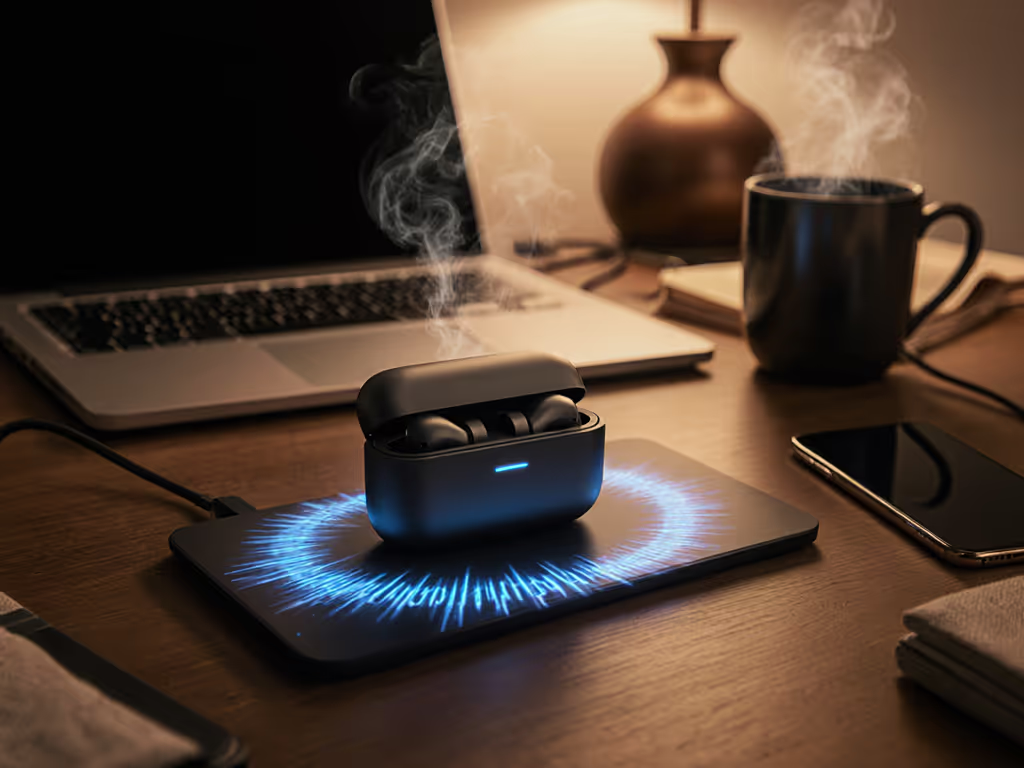
- Case LED patterns indicating connection status
- Companion app sound wave visualization that highlights dominant frequencies
- Smartwatch complications showing active noise cancellation levels
These indicators help you verify settings without removing your buds (critical during presentations or meetings).
Q: How can I customize accessibility settings earbuds for asymmetric hearing?
Asymmetric hearing affects 60% of users, but most reviews ignore this reality. Optimize for uneven hearing with:
- Set independent left/right volume offsets in your phone's accessibility menu
- Test each bud individually in quiet then noisy environments
- Map controls differently per side (e.g., left bud for volume, right for mode switching)
- Document what works: "Left bud needs +3dB bass for proper seal"
Simple wins daily. The most reliable setup accommodates your unique anatomy without requiring constant adjustment.
Q: What's the first accessibility feature I should test before buying new earbuds?
Skip the sound quality demos. Conduct this 90-second reliability audit:
- Pocket test: Place phone in pocket, walk 15 feet away, then return
- Does audio maintain without stuttering?
- Does connection resume instantly after temporary obstruction?
- Quick-switch drill: Alternate between two devices (phone/laptop)
- Does switching happen in ≤3 seconds?
- Does audio resume at appropriate volume for new context?
- Control mapping check: Verify all physical/touch controls work with gloves
If any test fails, move to the next model. No amount of premium sound compensates for unreliable connectivity. Accessibility settings on earbuds must work before fancy features matter.
Q: How do I configure earbuds for situational hearing without medical devices?
You don't need specialized hardware. If tinnitus or long-term hearing safety is a concern, start with our primer on safe listening with earbuds. Leverage existing features:
- Background sounds: Use calming audio (rain, white noise) to mask tinnitus during work
- Custom transparency profiles: Create venue-specific presets ("Conference Room," "Coffee Shop")
- Audio routing rules: Automatically switch to mono audio during physical activity
For Samsung Galaxy Buds2 Pro users: Enable 360 Audio to spatially separate conversation voices from background noise. The difference feels like removing auditory static.
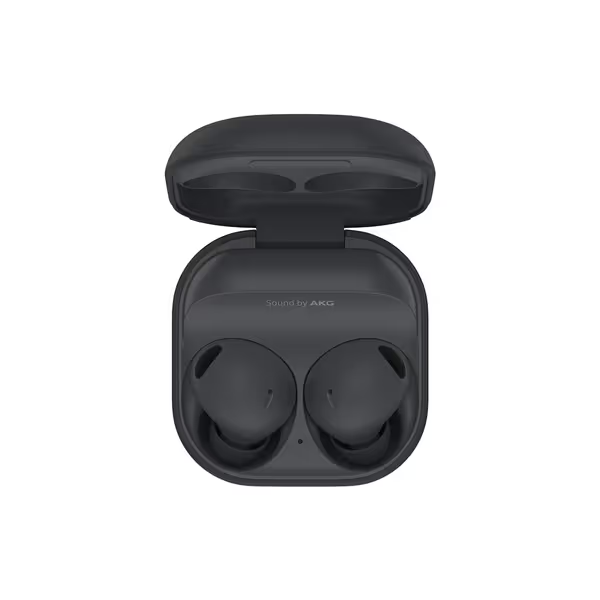
Samsung Galaxy Buds2 Pro
Next-level Hi-Fi audio with intelligent ANC and comfortable fit.
$149.99
Water ResistanceIPX7
Water ResistanceIPX7
Pros
Immersive Hi-Fi audio with 360 sound.
Powerful Active Noise Cancellation drowns out distractions.
Seamless Galaxy device integration and real-time translation.
Cons
Fit and comfort can be inconsistent for some.
Customers find these earbuds to be high quality with great noise cancellation and sound quality. The fit and comfort receive mixed feedback - while some find them exceptionally comfortable, others report they hurt after prolonged use. The battery life and functionality also get mixed reviews, with some praising the phenomenal battery life while others report charging issues, and some saying they work well while others say they stopped working entirely. Several customers mention the buds keep falling out of their ears.
Customers find these earbuds to be high quality with great noise cancellation and sound quality. The fit and comfort receive mixed feedback - while some find them exceptionally comfortable, others report they hurt after prolonged use. The battery life and functionality also get mixed reviews, with some praising the phenomenal battery life while others report charging issues, and some saying they work well while others say they stopped working entirely. Several customers mention the buds keep falling out of their ears.
Your Action Plan for Reliable Accessibility
- Audit your current earbuds: Spend one workday noting every time you manually adjust settings
- Map critical failures: Categorize as connectivity, control, or comfort issues
- Prioritize fixes: Address disconnects before sound quality enhancements
- Check manufacturer guides: Apple's "Use and customize Transparency mode" page contains overlooked adjustments
Most users never explore beyond basic playback controls. For deeper control over ambient sound, read our Transparency Mode explained guide. But the real value comes when earbuds anticipate needs, switching modes before you realize you need them, adjusting to your unique hearing profile, and staying connected through your busiest moments.
Check your phone's accessibility settings today. Enable the hearing control in your quick settings panel. Test Live Listen during your next grocery run. Notice how ambient sounds become clearer without removing your buds.
Good connectivity isn't a luxury. It's the foundation that makes every other feature usable. When your wireless earbuds work silently in the background (switching, adjusting, supporting), you stop noticing the technology and start experiencing the benefits.
Simple wins daily. Start with one accessibility feature this week. Master it. Then add another. Your perfect audio experience isn't about specs (it is about seamless integration into your life).
Related Articles